정보 권한 관리란 무엇이며 현대의 거래에서 정보 권한 관리가 중요한 이유는 무엇인가요?
정보 권한 관리가 중요한 이유, 공유 후 문서를 보호하는 방법, 팀이 통제력, 가시성, 신뢰를 유지하는 데 도움이 되는 방법을 알아보세요.
Some may tell you that you can secure your PDFs by password protecting them. That may not be the case. Still, password protection for PDF documents has become quite common as it’s a simple solution to what could turn out to be a complex problem for your company.
As a startup, you will encounter many instances where you need to send proprietary information, financial data and other work products with others outside your company’s walls, such as bankers, potential investors or contract workers. Any of these could land your company’s data in a risky situation.
Businesses may want to password-protect their PDFs for a variety of reasons, such as for copyright protection, restricting changes, requesting digital signatures, or limiting the ability to print and copy.
But some companies may be leaning too heavily into these securities to store intellectual property that could be the lifeblood of their businesses.
Losing control of these documents could seriously damage your business if they fall into the wrong hands, by evil intent or by accident.
While PDFs have a slight level of security when password-protected, you’ll want to consider these reasons for seeking a higher level of protection for your intellectual property:
Once you pass company documents along to someone and provide the password, you lose control of who holds the password. The person(s) you send the password to are free to pass it along to anyone they see fit to access your file. After password sharing begins, it is unlikely for you to know how many people are accessing your file.
Password theft is also a common issue as you have to send the password in some written form with the user. Typically, the user will struggle to recall your password and will retain a written copy in an easily accessed location. Hackers could find the password if it’s kept on their computer or even a mobile device. If it’s written at their desk, someone in their office or a visitor could find the password and get access to your information.
When your document leaves your secure servers, it’s out in the ether for a lifetime.
Free encryption services, even from companies such as Adobe or Microsoft Office, give you options to restrict printing or copying, but they have no way to recall a file back. Once someone accesses your PDF, they have permanent access, even if the document is altered or outdated.
Once a user has the password, they can easily convert the PDF into an unsecured version either through readily available software or even the Google Chrome browser.
While your user may not have malicious intent, they may become frustrated with having to locate the password each time they open the file and convert it to a format they can use.
Users may also take screenshots or even recordings of the file and convert those into other shareable file formats.
If you have multiple documents you need to send, maintaining a list of passwords could turn into a nightmare. You’ll certainly create a safer environment if you create a different password for each document.
However, you’ll need to maintain records of each password and with whom each password has been shared. Users may often forget passwords or misplace where they recorded them and ask to have them sent again.
Most encryption programs require a minimum of 6-8 characters and a blend of lower-case and upper-case letters, numerals and sometimes symbols. Better security can be provided with a 16-character ASCII password generator, but a determined hacker can crack such a code in 1 hour.
If you choose a common password code, this simplifies the hacker’s task, as the first step they’d perform is to search a list of frequently used passwords.
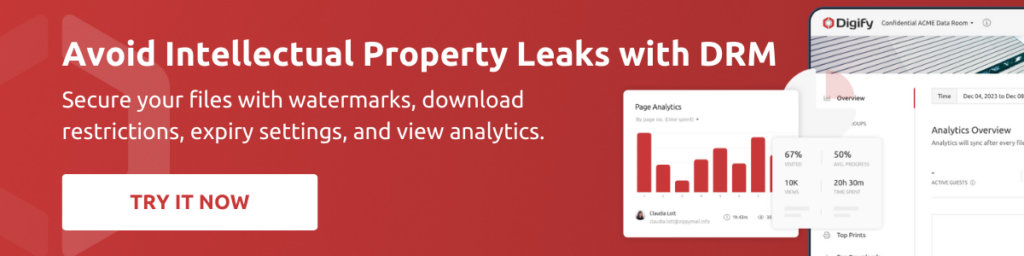
Digify offers simple, all-in-one digital rights management software.
Among the features of Digify’s DRM:
작성자
마케팅 전문가는 인사이트를 측정 가능한 비즈니스 효과로 전환하는 데 중점을 둡니다.
정보 권한 관리가 중요한 이유, 공유 후 문서를 보호하는 방법, 팀이 통제력, 가시성, 신뢰를 유지하는 데 도움이 되는 방법을 알아보세요.
다운로드 이후에도 모든 파일을 보호하세요. 다운로드 후 보호, 지속적인 추적, 분석, 오프라인 액세스를 지원하는 Digify의 PPAD에 대해 알아보세요.
문서를 안전하게 공유하는 데 도움이 되는 다양한 DRM 옵션이 있습니다. 회사에 적합한 DRM을 선택하는 방법을 알아보세요.